Marketing Audit Reports are no longer limited to Prospecting-generated leads.
You can now automatically generate Marketing Audit Reports for any lead — from any source — using workflows.
Think sending a quick business snapshot to every new lead!
What’s New
Marketing Audit Report as a Workflow Action
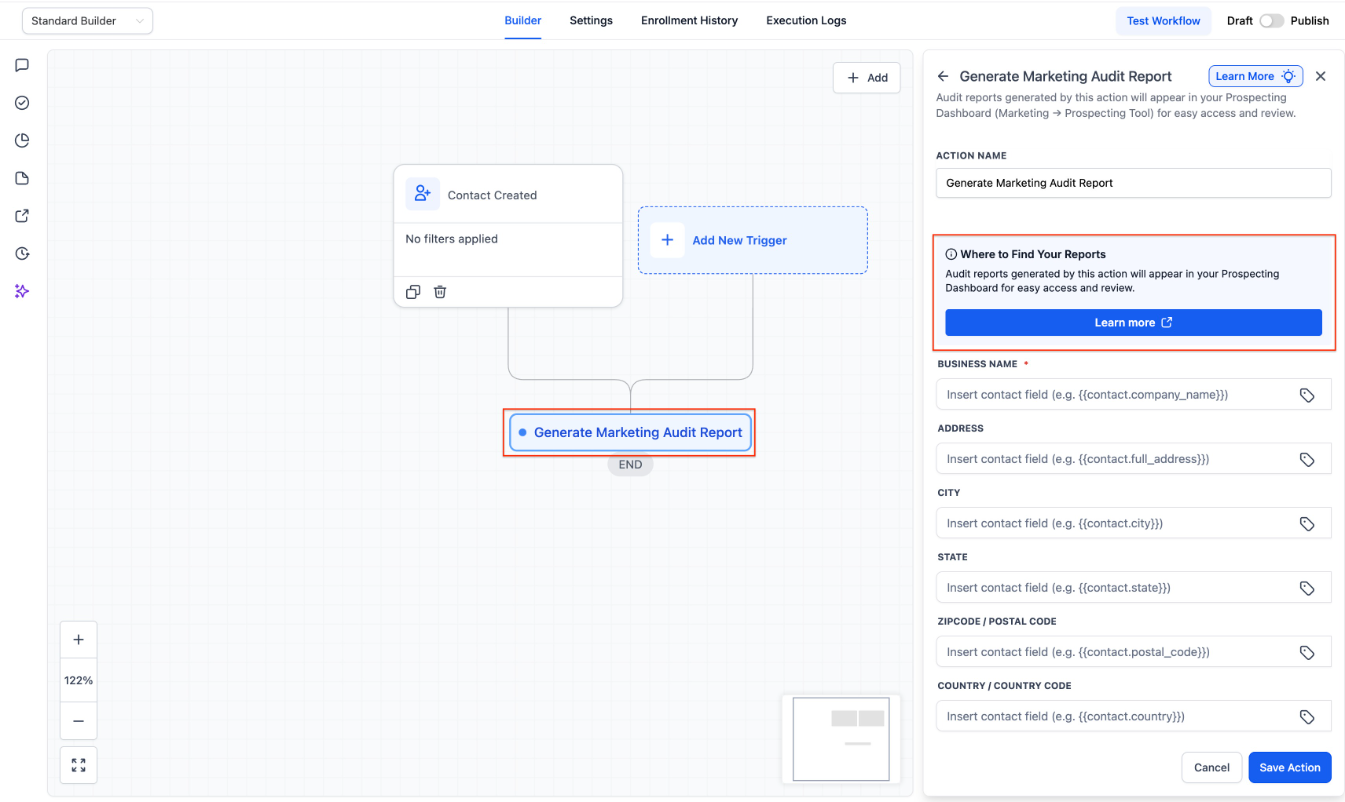
You can now add “Generate Marketing Audit Report” as an action inside workflows.
This means audit reports can be created automatically for leads coming from:
- Facebook & Google Ads
- Funnels and landing pages
- Website forms
- Manual contact creation
- Imports and third-party integrations
- Prospecting Tool (as before)
No matter where your leads come from, you can now run the same deep business audit on all of them.
What the Audit Covers
When triggered via workflow, the Marketing Audit Report provides insights into:
- Website performance and health
- Google Business Profile setup and issues
- Local search rankings: Heatmaps & top 10 GBP competitors
- Online reputation and reviews
- Listings and presence accuracy
This gives you a clear picture of a lead’s business health the moment they enter your system.
Why This Matters
One Audit, Every Lead
- Previously, Marketing Audit Reports were tied only to Prospecting-generated leads. Now, every lead can benefit from the same insights, regardless of how they were captured.
- Better Lead Qualification
- Automatically evaluate business health before outreach — tailor your messaging, prioritize high-intent leads, and identify upsell opportunities faster.
Stronger Automation
- Use audit reports as part of your automation:
- Trigger follow-ups based on audit results
- Notify your team when a lead has poor website or GBP health
- Add tags or routes based on audit insights
⚙️ How to Use It
- Open Workflows in your Account
- Add the Generate Marketing Audit Report action
- Trigger it when a new lead is created (from any source)
- The audit will run automatically and attach to the lead
Availability
Available for
only
those Accounts where Prospecting Tool
is enabled
Here's how you can enable prospecting in your account
- Enable via Reselling Tab in account dashboard
- or if you already use Prospecting
This update democratizes Marketing Audit Reports — making powerful prospecting insights available for every lead, not just those generated by the Prospecting Tool.
Start using audit reports as part of your
lead magnet automation today
Was this article helpful?
That’s Great!
Thank you for your feedback
Sorry! We couldn't be helpful
Thank you for your feedback
Feedback sent
We appreciate your effort and will try to fix the article